Light Green Background Code
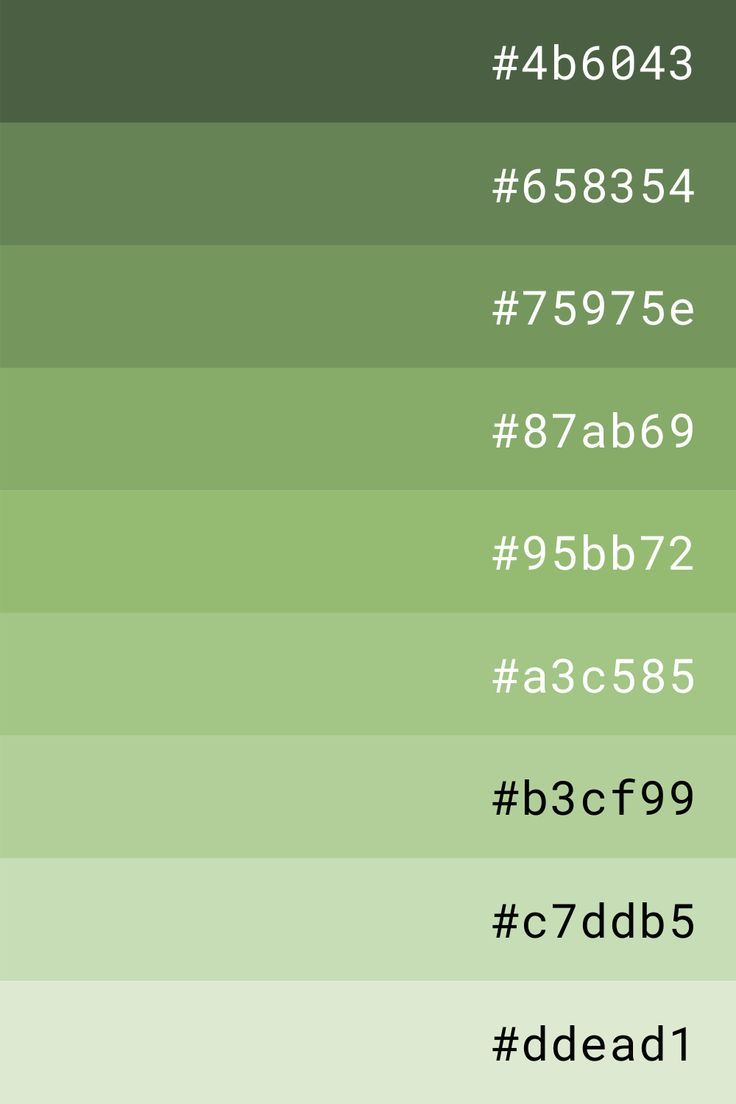
Ever desired to add a certain touch of nature to your design projects? A light green background might just do the trick. Not only does it evoke a sense of calmness and freshness, but it's also trending in UI/UX design. So, let's dive into how you can achieve this effect with the right light green background code.
First things first, deciding on the shade. For that light green effect, you'll want a hex code that's not too saturated. A light color offers a modern, airy aesthetic, perfect for various applications. Some popular light green shades include #E8EBC1, #DavidsonP, and #BFF3DB.
Understanding Color Systems
Before we dive into the codes, it's crucial to understand the three main color systems used in web development: RGB, HSL, and HEX.


RGB (Red, Green, Blue) is an additive color system used in digital displays. HSL (Hue, Saturation, Lightness) is a subtractive color system, which is more intuitive for designers. HEX (Hexadecimal) is a numeric system where colors are represented by a six-digit code.
RGB and Light Green
To create a light green background using RGB, you'd combine red (0-255), green (0-255), and blue (0-255). For a light shade, consider values like (150, 230, 150).


For instance, the RGB code for a light green could be: rgb(150, 230, 150) ;
HSL and Light Green
In HSL, you'd first choose your hue (0-360), then saturation (0-100%), and then lightness (0-100%). For light green, you might choose a hue of 120 (green), a saturation of 60%, and a lightness of 90%.
This would give you: hsl(120, 60%, 90%) ;


Implementing Light Green Background in CSS
Once you've decided on your color system and shade, it's time to incorporate it into your design. Here's how you might use our light green examples in CSS:
Background color in CSS is simply set using the background-color property. Here's how you might use our earlier examples:
RGB Example
background-color: rgb(150, 230, 150);


HSL Example
background-color: hsl(120, 60%, 90%);
HEX Example
background-color: #E8EBC1;
And there you have it! A comprehensive guide on applying a light green background to your digital designs. Experiment with different shades and find what works best for your project. Happy designing!
Remember, the right background can enhance user experience and transform the entire look and feel of your webpage. So, don't shy away from trying out new colors. Keep practicing, and you'll soon find your perfect shade of light green.
Related Articles

Green Screen Background Color Code: The Perfect Shade
In the realm of visual effects and video production, the green screen technique is a staple, enabling filmmakers and content creators to transport their...
Green Background Hex Code
The vibrant color green, often associated with nature and growth, has its own unique place in the digital world, particularly in the realm of website design...
Dark Green Background Code
A dark green background can add a sense of sophistication and elegance to your web design, making it an appealing choice for various applications. But how do...
Decoding Green: Binary Code Backgrounds
A green binary code background, while seemingly unusual, can be a striking choice for web design, offering a modern, eco-friendly aesthetic with a touch of...

Brighten Up: 17 Light Green Background Painting Ideas
The soothing allure of light green wall painting ideas has been steadily gaining traction in modern interior design for its refreshing and calming properties...
Green Screen Background Hex Code
Ever needed to replace a complex background with a solid color in editing? Meet the versatile Green Screen Hex Code , your key to user-friendly color...