Light Green Background Color Code
The subtlety of a light green background color, often overlooked in web design, can significantly enhance user interface (UI) and user experience (UX). This color has the unique ability to convey freshness, growth, and harmony, all while providing the perfect canvas for showcasing primary content.
In the vast spectrum of web design, finding the right hue for your background can make or break your site's aesthetic appeal and usability. Consequently, it's vital to understand the nuances of light green background colors and their potential impact on your digital platform.
Understanding Light Green Background Colors
Light green backgrounds are categorized under green colors, which are inspired by nature and convey tranquility and balance. Light green, specifically, evokes a sense of growth, renewal, and fertility. It's an inviting color that helps create a welcoming digital environment.


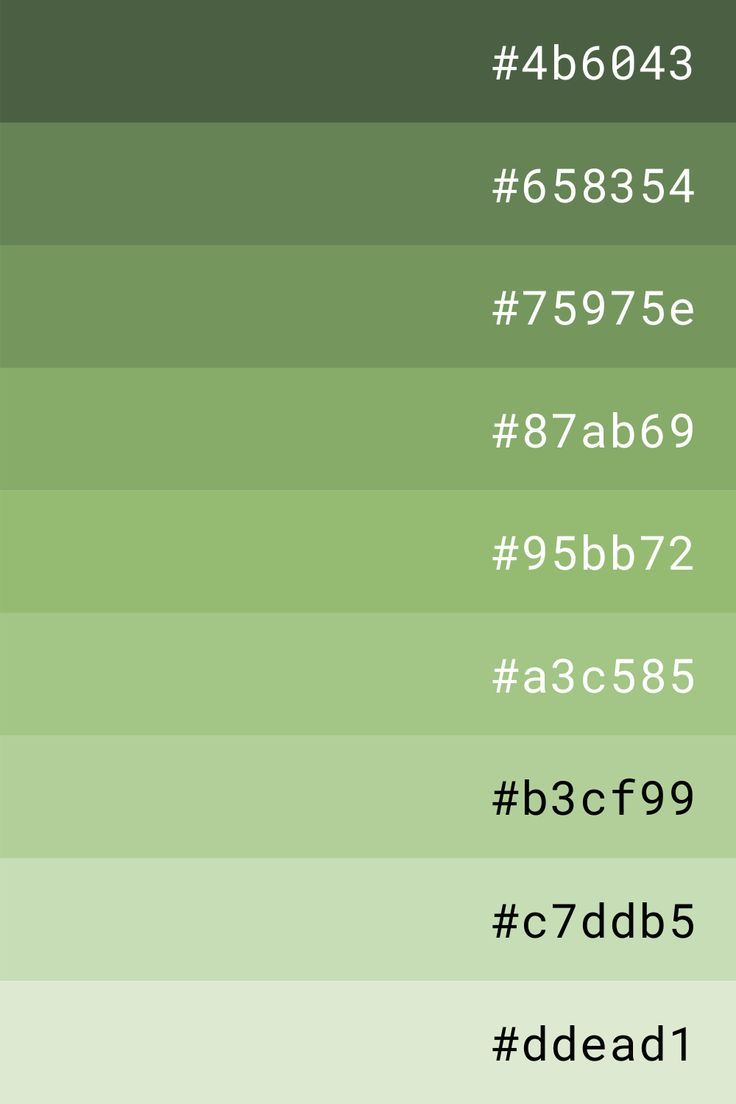
To leverage the full potential of light green backgrounds, it's essential to choose the correct shade. The HEX color code is a standard way to represent colors on websites. Light green color codes typically range from #8DC63C to #66BB6A in HEX, with the latter representing a lighter shade:
| Light Green Shade | HEX Color Code |
|---|---|
| Light Lime Green | #8DC63C |
| Light Green | #66BB6A |
How to Use in Web Design
Light green backgrounds are (or) should be (or) used for (or) to provide (or) any element that requires (or) a distinctive (or) and appealing (or) background. Consider the following tips to maximize the effectiveness of your light green background:


- Complement with Dark Text Color: To create optimal contrast and legibility, pair light green backgrounds with black or very dark text colors.
- Consider Color Combinations: Light green blends well with other neutral and pastel colors, such as white, light grey, dark green, and pastel blue or pink.
Appropriate Use Cases
To demonstrate the versatility of light green backgrounds, here are a few suitable use cases:
- Website Footer: A light green footer can subtly separate the primary content from the site's end, adding visual hierarchy and guiding users where to click next.
- Call-to-Action Buttons: If dark green buttons seem too , light green ones can be a great alternative. They're eye-catching yet unobtrusive.
- Hero Section: A light green background can create a welcoming and modern look for your site's hero section, drawing users' attention to your prime message.
Light Green Backgrounds and SEO
While choosing a visually appealing color is essential, ensuring your color choice doesn't compromise search engine optimization (SEO) is equally crucial. Here are two key considerations:
1. Color Contrast: Adequate contrast between text and background is necessary to meet Web Content Accessibility Guidelines (WCAG), which are crucial for SEO and accessibility. As mentioned earlier, pair light green backgrounds with high-contrast text colors.


2. Color Scheme Consistency: Maintain consistency in your color scheme to signal to both Google and users that your site is well-constructed and user-friendly. This consistency further bolsters your SEO efforts.
Optimizing Light Green Backgrounds for Performance
When implementing light green backgrounds, ensure that you're not negatively impacting your website's performance. Remember these best practices:
- Avoid Large Images: Instead of using a light green image as a background, opt for a solid color to minimize loading times.
- Limit Color Changes: Switching between different light green shades in quick succession can be distracting and slow down your site's loading speed.
In sum, light green backgrounds are more than just an aesthetic choice. They provide an engaging, harmonious, and efficient look that can significantly improve UX and signal your website's professionalism and attention to detail, ultimately enhancing your site's SEO.


Related Articles

Green Screen Background Color Code: The Perfect Shade
In the realm of visual effects and video production, the green screen technique is a staple, enabling filmmakers and content creators to transport their...

Light Green Background Code
Ever desired to add a certain touch of nature to your design projects? A light green background might just do the trick. Not only does it evoke a sense of...
Green Background Hex Code
The vibrant color green, often associated with nature and growth, has its own unique place in the digital world, particularly in the realm of website design...
Dark Green Background Code
A dark green background can add a sense of sophistication and elegance to your web design, making it an appealing choice for various applications. But how do...
Decoding Green: Binary Code Backgrounds
A green binary code background, while seemingly unusual, can be a striking choice for web design, offering a modern, eco-friendly aesthetic with a touch of...

Brighten Up: 17 Light Green Background Painting Ideas
The soothing allure of light green wall painting ideas has been steadily gaining traction in modern interior design for its refreshing and calming properties...