Remove Green Background in Seconds
Ever found yourself with a brilliant, vibrant green image, only to realize that the background is ruining its potential? Or perhaps you've come across a stunning green object photo, but the cluttered background is making it difficult to focus on the subject. Whatever your situation, learning how to remove a green background can transform your images and make them stand out.
The good news is, you don't need to be a graphic design pro or spend hours editing to achieve these results. With the right tools and techniques, you can master the art of background removal and unlock the true beauty of your green focal points. Let's dive into this comprehensive guide on how to remove a bg in green photos.
Understanding Green Background Removal
The primary goal of removing a green background is to isolate the subject, making it the focal point of your image. This technique is particularly useful in product photography, where a clean, uniform background can make the product stand out. It's also a great way to prepare your images for further editing or to add attitude to your stock photos.


Before we delve into the specific methods, let's discuss why you might want to remove a green background. As mentioned, it can help to isolate the subject and make it the center of attention. It also provides a clean slate for further edits, allowing you to add unique backdrops or apply special effects.
Light Green Background Removal
When dealing with light green backgrounds, the key is to carefully select only the green hues for removal. This is where tools like the Magic Wand or a Color Range selection in Adobe Photoshop come in handy. They allow you to select a specific color range, making it easier to remove just the light green background while leaving the subject intact.


To achieve a clean result, you might need to fine-tune your selection by adjusting tolerance settings or using the Refine Edge tool. This ensures that only the background is removed, maintaining the integrity of your subject. Once you've made your selection, simply delete the background, and you're left with your subject on a transparent canvass.
Dark Green Background Removal
Removing dark green backgrounds can be a bit more challenging, as they often blend with the subject, making selection difficult. In such cases, you might need to combine several tools and techniques.
Similar to light green backgrounds, start by using the Magic Wand or Color Range selection to capture the dark green hues. However, you might need to employ other tools like the Lasso or Pen Tool to manually refine the selection around the edges of your subject. Once you have a clean selection, delete the background, and then use a tool like the Healing Brush to remove any residual background particles that might remain.


Alternatives to Manual Green Background Removal
While manual background removal is effective, it can be time-consuming, especially for those new to photo editing. Thankfully, there are several alternatives that can streamline the process and save you time.
One such method is using specialized software and tools designed for background removal. These include online platforms like Remove.bg, Clipping Magic, and Background Burner. While they may not work perfectly in all scenarios, they can provide a good starting point for green background removal, saving you time and effort.
AI-Powered Background Removal Tools
AI has revolutionized the image editing landscape, and green background removal is no exception. Tools that leverage AI-like Adobe's 'Object Selection' and 'Select Subject' features can intelligently analyze your image and generate a tailored selection, making the background removal process faster and easier.


These tools can be particularly useful for removing green backgrounds, as they can often differentiate between the subject and the background, even when colors overlap. However, they're not perfect, and you may still need to refine the selection manually to ensure a flawless result.
Green Screen Background Removal
If you find that you need to remove green backgrounds regularly, investing in a green screen can significantly simplify the process. Green screens provide a consistent, uniform background that's easy to remove in post-production.
Combined with specialized software like Chroma Key in Adobe Photoshop or the Color Key effect in Adobe Premiere Pro, removing a green background can be as simple as dragging a slider. This method is commonly used in video production but can also be applied to still images with a bit of creativity.
Mastering green background removal is a valuable skill that can transform your images and open up new creative possibilities. Whether you're removing light or dark green backgrounds, or prefer a manual or AI-assisted approach, there's a method to suit your needs. With practice, you'll become proficient in this technique, elevating your images to new heights.
So, don't let a pesky green background hold you back. Embrace the challenge, learn the techniques, and watch as your images come to life. Happy editing!
Related Articles

Green Screen Background Color Code: The Perfect Shade
In the realm of visual effects and video production, the green screen technique is a staple, enabling filmmakers and content creators to transport their...
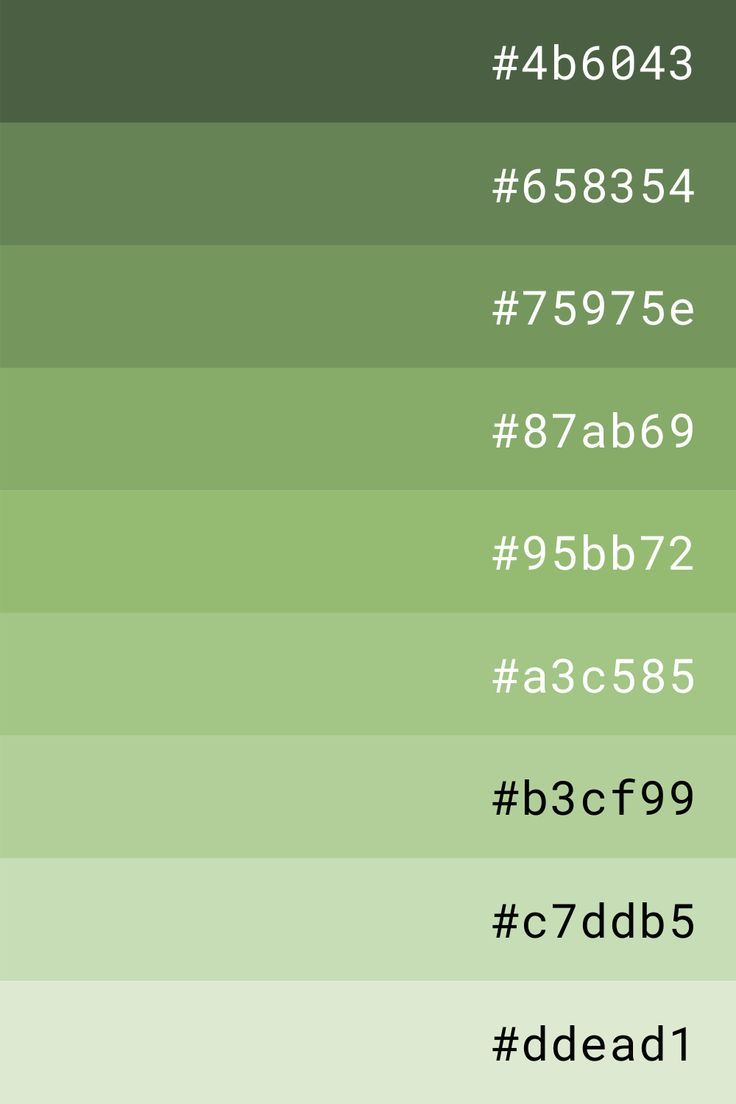
Green Background Hex Code
The vibrant color green, often associated with nature and growth, has its own unique place in the digital world, particularly in the realm of website design...

Dark Green Background Code
A dark green background can add a sense of sophistication and elegance to your web design, making it an appealing choice for various applications. But how do...

Sage Green Background Images
In the ever-evolving landscape of graphic design and web development, color choices play a pivotal role in setting the tone and influencing user experience...
Decoding Green: Binary Code Backgrounds
A green binary code background, while seemingly unusual, can be a striking choice for web design, offering a modern, eco-friendly aesthetic with a touch of...

Green Canvas Background Painting Ideas: Inspire Your Art Today
Looking to infuse your home or art collection with a splash of nature? Consider exploring green background painting ideas on canvas. Green, the color of life...