Green Background Color Code
Ever found yourself staring at a color code, trying to visualize the exact shade it represents? The green background color code is no exception. This code, often denoted as '#008000' or 'RGB(0, 128, 0)', brings to mind lush forests, vibrant grasslands, and the serene calm of emerald seas. But what makes this color so 'green', and how can you effectively use it in your design projects?
Green, as a color, is deeply rooted in nature. It's the color of life, growth, and renewal. In the digital world, a green background color can evoke similar feelings of harmony and balance. It's no wonder that many brands, especially those in the healthcare, agricultural, and environmental sectors, use green in their branding.
Understanding the Green Color Code
The green background color code '#008000' is a standard web-safe color. It's a mixture of red, green, and blue (RGB), each with a value of 0, 128, and 0 respectively. This means it's only being displayed in green, with no other colors bleeding in. But let's delve deeper into what makes this color tick.


Breaking down the RGB values, we see that the red and blue components are completely absent (represented by the '0' values), leaving only the green component at its maximum (frontend highlighted with '128'). This balance creates a vibrant, clean green that's easy on the eyes yetbold enough to make a statement.
RGB vs. Hex Code
You might come across both RGB and hex color codes in your design journey. RGB, short for Red, Green, and Blue, is an additive color model used for on-screen displays. Each color's intensity is expressed on a scale from 0 to 255, giving a total of 16 million possible colors.


On the other hand, hex color codes represent colors using a six-digit combination of the letters A-F and the numbers 0-9. '#008000' is the hex code for our green background color. While both systems have their uses, hex codes are often preferred for web design due to their brevity and compatibility across different systems.
Green's Psychological Impact
Green, being a color heavily associated with nature, has a profound psychological impact on us. It promotes relaxation and represents growth, harmony, and fertility. In user interface design, a green background color can signal freshness, safety, and progress, making it an excellent choice for 'success' or 'confirmation' buttons.
However, overuse can lead to a sense of stagnation or boredom. Remember to balance it with other colors and keep the context in mind. For instance, a darker green like '#28a745' might be more suitable for a 'save' or 'edit' button, while '#2186a7' could evokedifferent connotations when used as a background color for a travel website.


Using Green Background Color in Design
Now that we've explores the ins and outs of the green background color, let's dive into how you can effectively use it in your design projects.
personalidadThe first step is understanding your audience and the message you want to convey. For example, for an eco-friendly brand, our original '#008000' could set a vibrant, nature-inspired tone. But for a more professional or luxurious feel, '#28a745' might be more appropriate. Always test different shades and tones to find the perfect fit for your project.
Complementary Colors
Complementary colors are those directly opposite each other on the color wheel. Green's complementary color is red, making it an eye-catching combination, but it can also be overpowering. Instead, consider using colors adjacent to red, like orange or pink, for a softer contrast.


Alternatively, try contrasting green with neutral colors like black, white, or gray. This can create a sleek, modern look, especially in minimalist designs.
Color Schemes
Once you've chosen your main green color, build a palette around it. You could use different shades and tints for variation, or introduce complementary colors for contrast. Online tools like Adobe Color and Coolors can help you create harmonious color schemes quickly.
Remember, the goal is to create a cohesive visual language that supports your design's message and enhances usability.
Embracing the green background color code is more than just choosing a shade - it's about understanding the power of color and using it to communicate effectively. So, go ahead, play around with different hues, tints, and shades of green. Let your designs breathe life and growth, and watch your users flourish in response.
Related Articles

Green Screen Background Color Code: The Perfect Shade
In the realm of visual effects and video production, the green screen technique is a staple, enabling filmmakers and content creators to transport their...
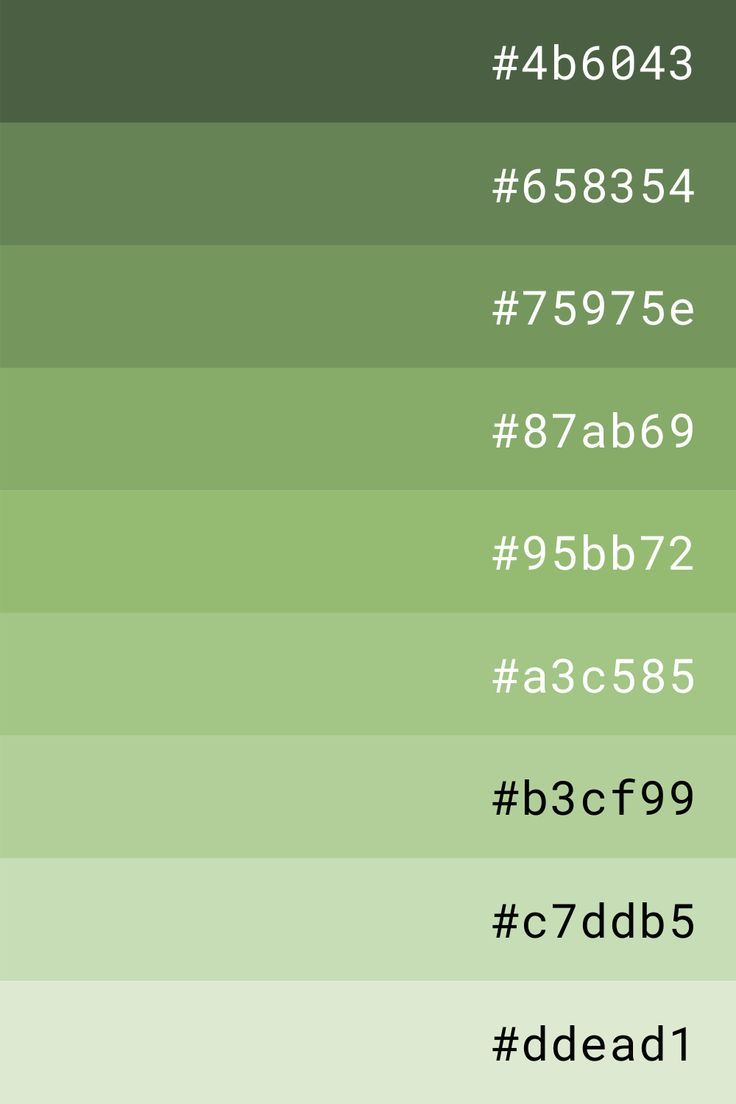
Green Background Hex Code
The vibrant color green, often associated with nature and growth, has its own unique place in the digital world, particularly in the realm of website design...

Dark Green Background Code
A dark green background can add a sense of sophistication and elegance to your web design, making it an appealing choice for various applications. But how do...
Decoding Green: Binary Code Backgrounds
A green binary code background, while seemingly unusual, can be a striking choice for web design, offering a modern, eco-friendly aesthetic with a touch of...
Light Green Background Code
Ever desired to add a certain touch of nature to your design projects? A light green background might just do the trick. Not only does it evoke a sense of...
Green Screen Background Hex Code
Ever needed to replace a complex background with a solid color in editing? Meet the versatile Green Screen Hex Code , your key to user-friendly color...